
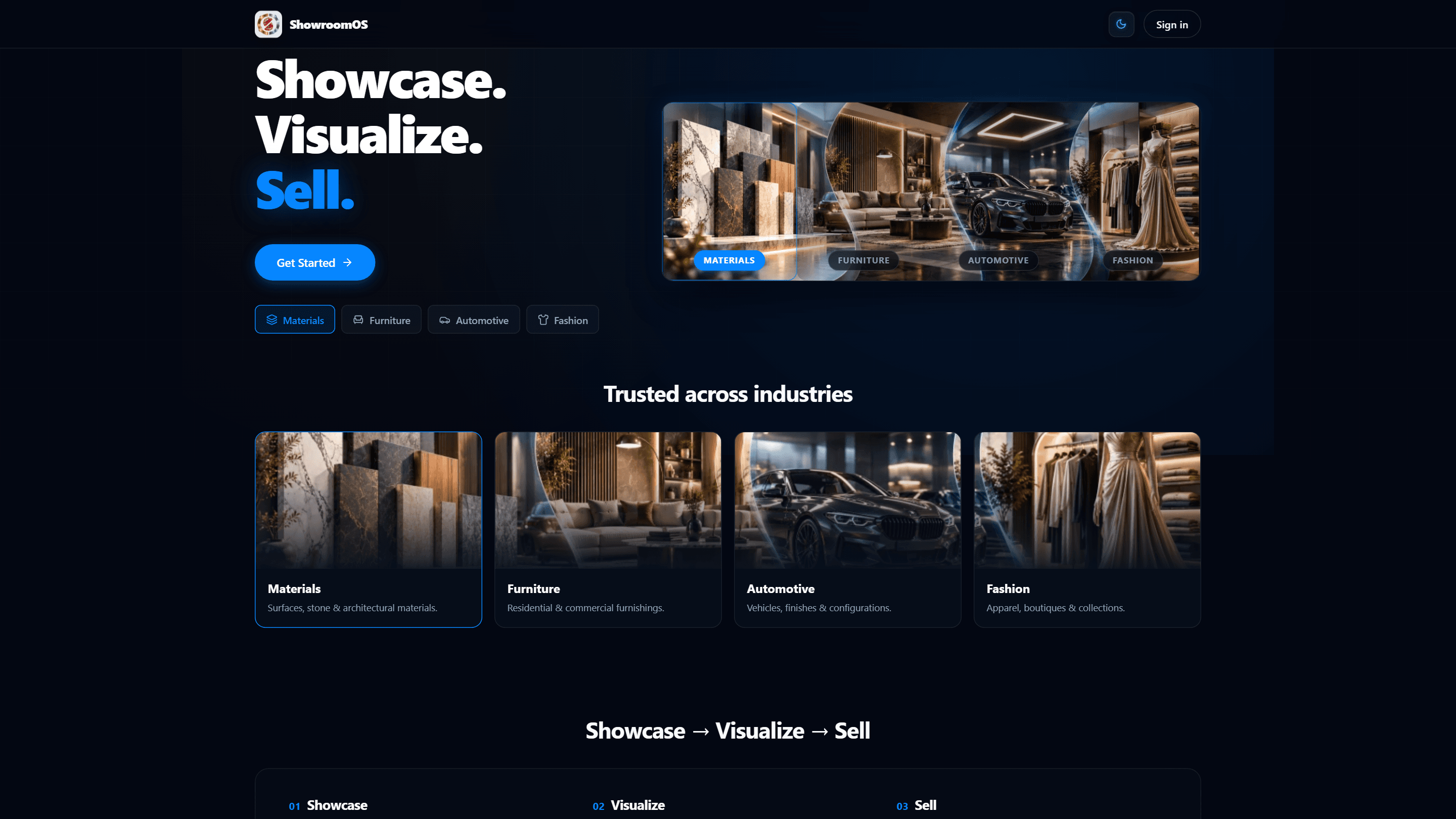
ShowroomOS — Digital Showroom & AI Product Visualizer
ShowroomOS is a complete B2B digital showroom platform designed for modern product businesses.
It allows businesses to create a digital product catalogue, present products and materials to customers, let customers visualize selected products/materials in their own uploaded photos, and turn product interest into structured quotation requests.
Instead of treating a catalogue as a static collection of product pages, ShowroomOS connects the complete journey:
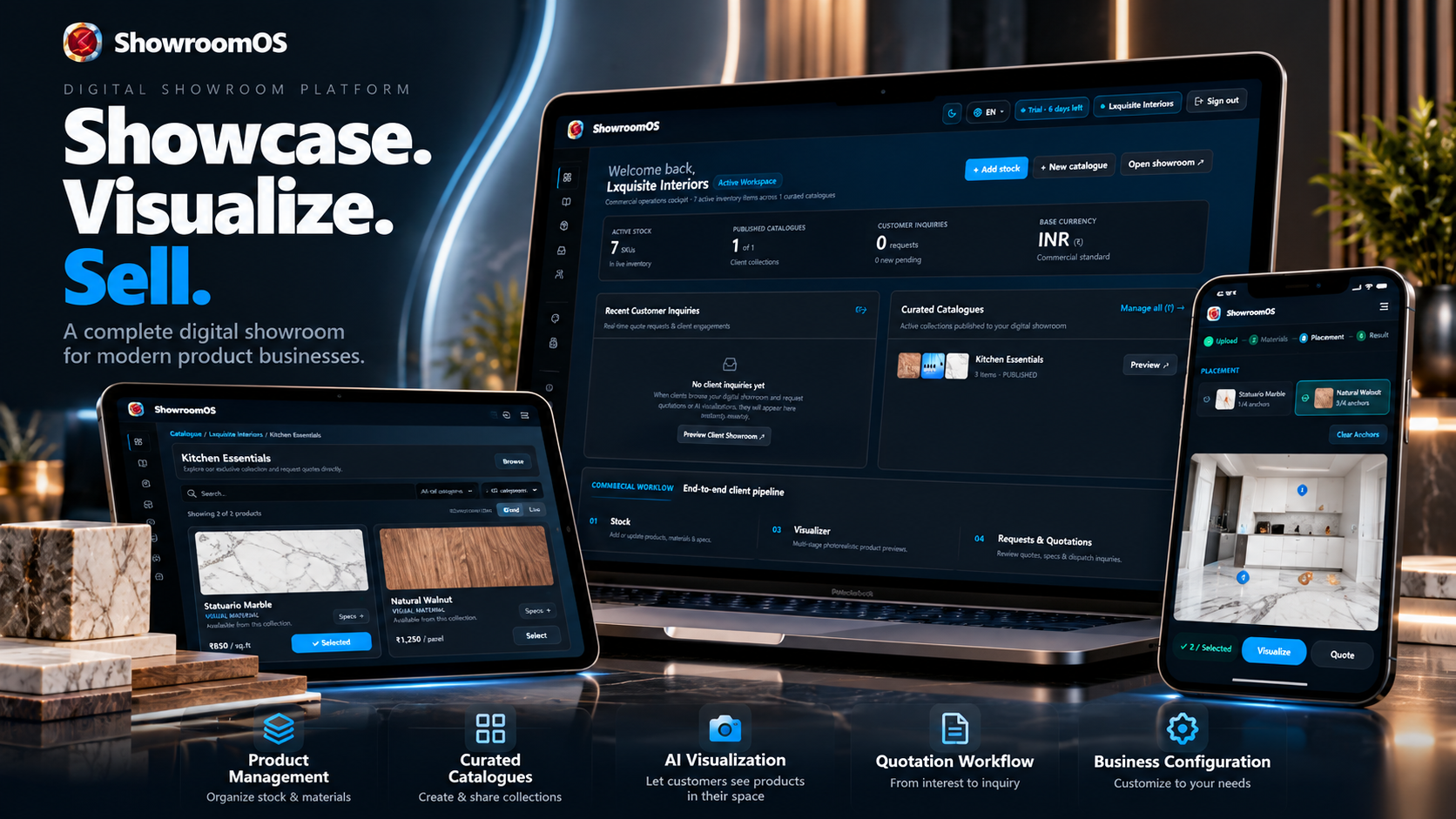
What ShowroomOS Solves
Traditional product catalogues show customers what a product looks like.
ShowroomOS goes further by allowing customers to interact with products and visualize selected materials or products within their own space.
This makes it suitable for businesses selling products where appearance, material selection, and configuration are important.
Examples include:
- Furniture
- Interior & building materials
- Flooring
- Wall materials
- Surfaces
- Automotive
- Fashion & product customization
- Luxury products
- Other showroom-based businesses
Core Workflow
1. Business Setup
Create and configure the business profile, branding, and business-specific capabilities.
Businesses can configure the information and options that are relevant to their operation.
2. Product & Stock Management
Create and manage products, materials or stock items with their own images, names and information.
Products can be organized into catalogues for different customer experiences.
3. Curated Catalogues
Create customer-facing catalogues containing selected products or materials.
A catalogue can be published and shared with customers through a dedicated customer-facing experience.
4. Customer Product Experience
Customers can browse the catalogue and explore available products/materials through a responsive interface.
The customer experience is designed to work across desktop, tablet, and mobile devices.
5. AI Visualization
Customers can upload a photo and visualize selected products/materials within it.
The visualization workflow uses the customer's selected product/material image together with placement information to determine what should be visualized and where.
6. Material Placement
The visualizer supports spatial placement using selectable material references and placement anchors.
This allows the customer to indicate areas where a selected material should be applied.
7. Quotation Workflow
After exploring products and visualization options, customers can submit their requirements as a quotation request.
The business can then receive and manage the submitted request.
Key Features
- Business profile & branding
- Product/material management
- Stock image management
- Curated product catalogues
- Customer-facing catalogues
- Responsive customer experience
- AI-powered product visualization
- Image upload workflow
- Material selection
- Spatial material placement
- Visualization generation states
- Quotation request workflow
- Business-specific configuration
- Mobile-responsive interface
- Modern dark-first UI
- Server-side application architecture
- Database-backed business data
- API-driven functionality
- Configurable business capabilities
Designed for Multiple Industries
ShowroomOS is intentionally designed as a flexible showroom platform rather than a single-purpose interior design application.
The same core workflow can be adapted for different product businesses.
For example:
Furniture:
Product → Material → Customer Photo → Visualization → Quote
Building Materials:
Material → Surface → Customer Photo → Visualization → Quote
Automotive:
Vehicle/Product → Configuration → Customer Experience → Quote
Fashion:
Product → Material/Design → Visualization → Customer Request
This makes the application suitable as a foundation for businesses building specialized digital showroom experiences.
AI Visualization Architecture
The visualization workflow is designed around actual selected product/material references rather than relying only on product names or textual descriptions.
A selected material can contain:
- Material ID
- Product/stock ID
- Actual image reference
- Target surface
- Placement anchors
This allows the visualization system to distinguish between what material was selected and where it should be applied.
The architecture can also be extended with different AI image-generation providers depending on the deployment requirements.
Responsive Design
ShowroomOS is designed for modern responsive web usage.
The interface supports:
- Desktop
- Laptop
- Tablet
- Mobile
Customer-facing catalogue and visualization experiences are especially important on mobile because customers may access shared catalogue links directly from their phones.
Business Configuration
ShowroomOS supports configurable business capabilities rather than forcing every business to use the same workflow.
Examples include:
- Area-based quantity calculation
- Labour configuration
- Waste allowance
- Product-specific configuration
- Measurement-related options
- Other business-specific capabilities
These settings are intended to control the relevant customer/business workflows instead of relying on hardcoded UI assumptions.
Built for Customization
The application is designed to be customized for different industries and business models.
Developers can adapt:
- Branding
- Business profile
- Product structures
- Catalogue layouts
- Customer experience
- Visualization workflow
- Quotation workflow
- Business capabilities
- AI provider integration
- Authentication
- Database models
- Deployment infrastructure
What Is Included
- Full application source code
- Frontend application
- Backend/API functionality
- Database schema
- Application configuration
- Product/material management
- Catalogue functionality
- Customer-facing catalogue
- Visualization workflow
- Quotation workflow
- Responsive UI
- Documentation
- Environment configuration template
- Deployment guidance
What Is Not Included
Third-party infrastructure and paid services are not included.
Depending on the deployment configuration, the buyer may need to provide their own:
- Database
- AI API credentials
- Email provider
- File/image storage
- Hosting
- Domain
- Other third-party service credentials
API keys and production credentials are never included in the source package.
Who Is This For?
ShowroomOS is suitable for:
- Developers building showroom SaaS products
- Agencies building digital showroom solutions
- Furniture businesses
- Interior product companies
- Building-material businesses
- Automotive businesses
- Product visualization platforms
- B2B catalogue platforms
- Businesses selling configurable products
- Entrepreneurs looking for a specialized SaaS foundation
Why Buy ShowroomOS?
Building a digital showroom from scratch requires significantly more than creating a product catalogue.
You need:
- Business management
- Product management
- Catalogue management
- Customer-facing experiences
- Image handling
- AI integration
- Visualization workflows
- Configuration logic
- Quotation workflows
- Responsive UI
- Database architecture
- API endpoints
- Authentication and security
ShowroomOS provides these foundations in one application so developers can focus on adapting the platform to their own business or client requirements instead of starting from zero.
Customization Potential
ShowroomOS can be used as a foundation for creating specialized vertical products.
For example:
- Digital furniture showroom
- Flooring visualization platform
- Interior material visualization system
- Automotive configurator
- Product customization platform
- Building-material catalogue
- B2B product visualization SaaS
The underlying architecture is designed to support these variations without requiring the entire application to be rebuilt from scratch.
## Important
This is a source-code product intended for developers, agencies, and businesses capable of configuring and deploying a web application.
Third-party AI, hosting, database, email, and storage services may require separate accounts and billing.
Always review the included documentation and environment configuration before deployment.
DOWNLOAD WALKTHROUGH
Private Demo Access
ShowroomOS does not currently provide a public demo account.
If you would like to evaluate the application before purchasing,
contact us through CodeCudos to request temporary demo access.
Demo access may be provided for evaluation purposes and may be
limited or time-restricted.
#nextjs,
#react,
#typescript,
#saas,
#full-stack
#ai,
#ai-image-generation,
#digital-showroom,
#product-visualization,
#catalogue,
#b2b,
#dashboard,
#product-management,
#quotation,
#material-visualizer
No reviews yet. Purchase to leave a review.